Update: Duty Plans, Jobs and the SpotterCam
November 20, 2026
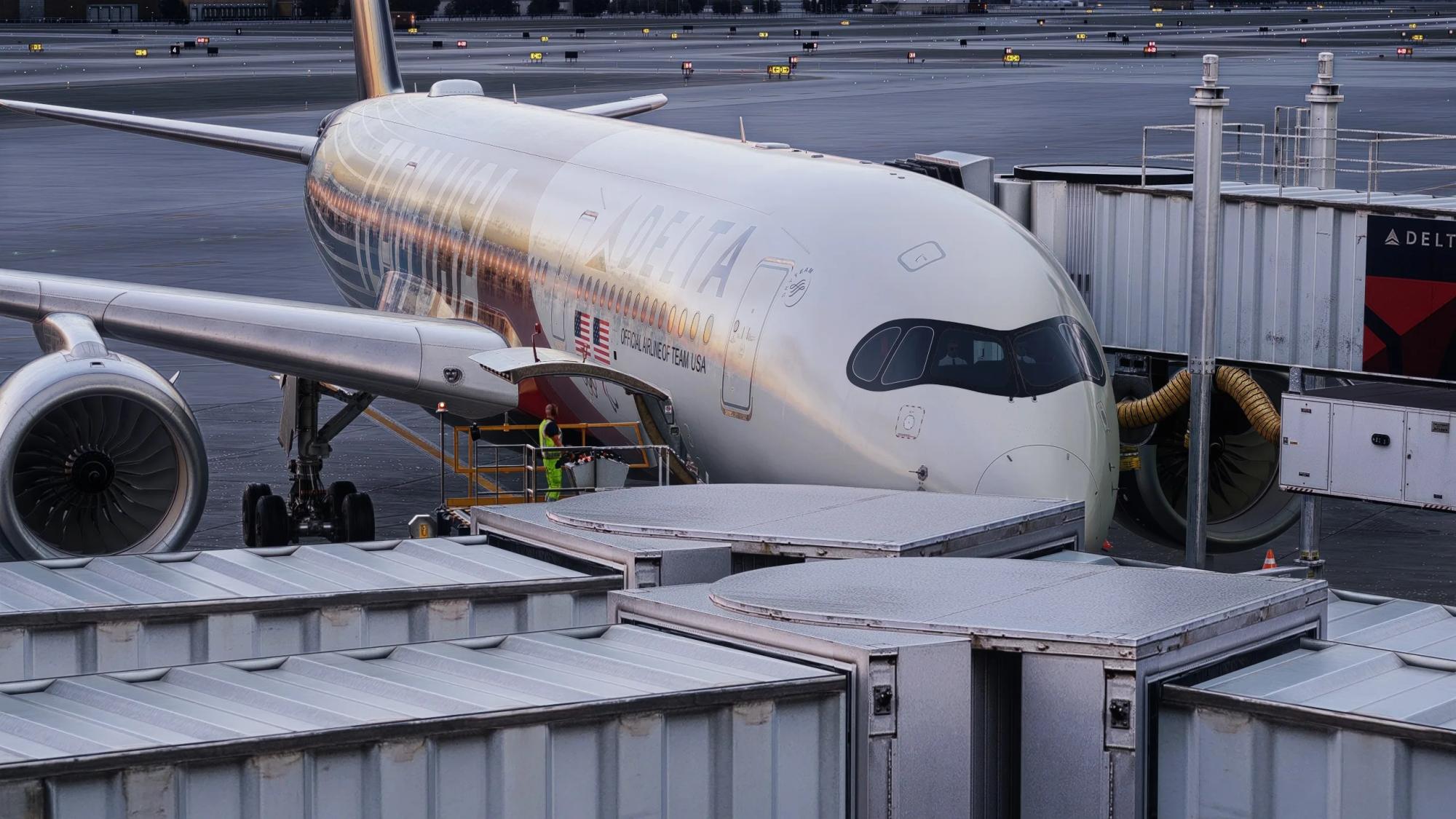
You can now plan a whole day of flying on one aircraft. You have a persistent pilot location of your own, and a new Jobs board gets you around: ride on another pilot's flight, or ferry an aircraft where it's needed. The Approach Lab now has a SpotterCam and sound on replays. And Tailstrike has a new front page at www.tailstrike.net that suggests your next flight.
Duty and day plans
Plan a day on one aircraft: up to five legs, each leaving from where the last one lands. On an airliner it's a duty plan. On a GA aircraft it's a day plan. To plan a journey, click the Plan button next to the Hold button on any aircraft page.
- Build mode and Auto mode. Build lets you pick each leg from the board of flights out of the last airport. Auto plans the whole day in one general direction, within the max time and number of legs you set. Reroll for a different plan.
- Real schedules on airliners. Supporters get the real-world upcoming airliner schedules to pick from, or choose your own destinations. Fly each leg at its real-world time, with real flight numbers, gates, and turnaround times.
- Fly each leg in one click. Once your plan is set, you can click "Fly Now" to start the lease for the first leg. Dispatch will create your flight, with the context of the whole day.
- VATSIM-aware. Turn on VATSIM to prefer legs to events and to airports with ATC online.
- Day stories for GA. Intelligent Dispatch writes one story for your journey, and each leg gets its own briefing as well.
- Plans are shared. Everyone sees the tail's plans on the aircraft page, so another pilot can plan to pick the aircraft up where your day ends. If you finish early, Tailstrike opens handoff legs that any pilot can fly to get the aircraft to the next pilot's planned start. The registry's "Duty plans" filter shows every aircraft with a plan.
- A plan doesn't keep the aircraft for you. Other pilots can still lease it, in which case your planned day will end. To keep it for yourself, use a hold.
Planning is free for every pilot: type your own legs, or use the Auto build feature on any plan. Supporters get real airline schedules, day stories and Intelligent Dispatch on each leg. Read the full guide to duty and day plans.
Your now have a persistent location
Every pilot now has a location: the airport where you are. Set your home airport in Settings to start there. Complete a flight that starts where you are, and you move to where you land. You can still lease any aircraft, anywhere, it just doesn't change your pilot location.
- Flights that start at your location get a pin in your flight log, and the flight page says "From where they were".
- Your hangar shows your Pilot location.
- To get somewhere without flying, hitch a ride on another pilot's flight (see below).
Jobs: rides and ferries
The new Jobs board has two kinds of job. A ride is a pilot who wants to get somewhere. A ferry is an aircraft that needs to go somewhere. The board shows the nearest jobs first, with a map.
Rides
- Post a ride to anywhere, to one airport, or to near an airport (e.g., within 500nm of KJFK), with a short note if you like.
- Open rides with no chosen destination ride along on the next flight out of your airport automatically.
- Accepted rides go only with the pilot who accepted the job, wherever they fly. If you land short of your ultimate destination, your ride stays open from the new airport.
- Carry riders. Accept as many rides as your aircraft has seats (a freighter has one jumpseat). The pilot who flies gets the credit: the flight page shows who they carried.
Ferries
- Stranded airliners. Tailstrike automatically posts a ferry for any airliner that's more than 1,000 nm from a typical real-world destination it would fly to. Long-haul types, GA, business jets and military aircraft are free to roam about the planet, but pilots can manually post ferry jobs for any aircraft.
- Any pilot can post a ferry for any tail, with a destination, that any other pilot can accept and fly.
- Accept a ferry and the job is yours for 3 hours, and for as long as you hold a lease on the aircraft. For flights requiring a multi-leg journey, jobs automatically come with a day plan, with stops in range of the aircraft.
- The ferry follows the aircraft, whoever flies it, and is done when it lands at the destination. Stop whenever you like: the legs you didn't fly stay open for another pilot. Your ferries are counted on the Jobs board.
Full guides: Jobs and Pilot location.
SpotterCam and Approach Lab sound
The Approach Lab replay now has a fifth camera: Spotter. It's your landing the way someone might film it on their phone from the ground. SpotterCam recreates your aircraft, weather, and time of day directly from approach telemetry, with audio. SpotterCam videos also show on the Last Flight card on the aircraft profile, including for helicopters.
SpotterCam is part of Approach Lab: free on every pilot's first flight, and on every flight for Supporters. The Tailstrike plugin is required for Approach Lab and SpotterCam features.
Eight new 3D aircraft
Updates to all 3D views, including better tile loading, more realistic horizons, fixes to aircraft lights and models, and 8 brand new models, including our first taildragger.
- Airbus A340: -200/-300 and -500/-600
- Beechcraft Baron G58 (and the B55)
- Beechcraft Bonanza: G36, V35B and F33
- Cirrus SR22 G6 (and the SR22T and SR20)
- Diamond DA40 (NG, TDI and Lycoming)
- Extra 330LT
- Hawker 800XP
- Piper Aerostar 600
Also: an aircraft with no photo now shows a 3D profile shot of its own model.
A new front page, and your next flight
The app now lives at www.tailstrike.net, with app.tailstrike.net redirecting to that page.
- Your next flight. Signed in, the front page suggests one flight each for Passenger, Freighter and GA, plus your three most recent aircraft. Suggestions come from real flights, your own day plan, handoff legs and mission legs, with your flight history and preferences in mind. "Fly now" leases it, "Plan my day" opens the planner with it, or opt for a new aircraft, route suggestion, or distance preference.
- The registry at /registry puts flights, pilots, aircraft and missions in one place, with new sorting and filters.
- Redesigned pilot profiles and aircraft pages, with newly designed badges. Profiles now show an in depth Pilot Identity with visualized data about your flights and favorites. Plus, see your Hangar in 3D.
- Pilot docs at www.tailstrike.net/docs: how everything works, in one place.
- Link previews. Shared links to aircraft, flights, pilots, airlines, airports and missions now show their own title, picture and details in Discord and other message platforms.
Holds, for every pilot
Reservations are now called "Holds". A hold keeps an aircraft for you where it's parked, so only you can lease it. You still lease it for each flight.
- Every pilot gets one 24-hour hold each 30 days. Supporters get two 72-hour holds on top.
- Fly now. While you hold an aircraft, its lease button says "Fly now." The end of a hold cannot end an active lease.
- Other pilots see "Held" and how long is left. Your own hangar shows your hold and the aircraft you follow.
How holds work, including the queue and the 30-minute rule after a lease.
Everything else
Approach Lab
- Any pilot can keep approach scores private: one at a time from the flight page, or all of them in Settings.
- Flight cards no longer show the approach rating.
- Real Flight + Tail is now called "Twin Flight".
- The X-Plane CL650's spoiler handle is no longer scored.
Aircraft and airports
- An aircraft's location card shows the number of flights today, with its average turnaround.
- Updates to the aircraft state and configuration UI, including more in-depth info for each TFDi Design MD-11
- Aircraft now show their own rankings on the network, top pilots, and quickest turnaround time between two pilots.
- Hover over an airport now shows city and country, and its online ATC.
- Newly added aircraft show as "NEW" on the Registry
- Supporter icon now shows for Supporters on the Registry and on the Last Flight card.
Fixed
- Fixed: restarting your sim on the ground now gives 10 minutes grace before it ends the flight, allowing you to reload your flight after a sim crash. The restart stays out of your flight time and track.
- Fixed: Displaced thresholds on runways causing incorrect touchdown zone ratings and low approach ratings.
- Fixed: on-block is recorded at any stop off a runway, and no longer refuses to record if no gate is found.
- Fixed: 3D A350 wings in 3D view were incorrectly shaped.
- Fixed: 3D 737 gear no longer stick up through wings.
- Fixed: Airport lights no longer show beyond the horizon in Live 3D mode
- Fixed: Mobile view fixes for network map and other pages.
- Fixed: Airport ICAO hover info now loads much faster.
- Fixed: Pilot avatars now show throughout the app.
- Fixed: New England Patriots charter mission now uses N36NE instead of N225NE.
Happy flying!
Image credit: Jay6zero