Update: Live View, VATSIM in 3D, and Approach Lab updates
November 7, 2026
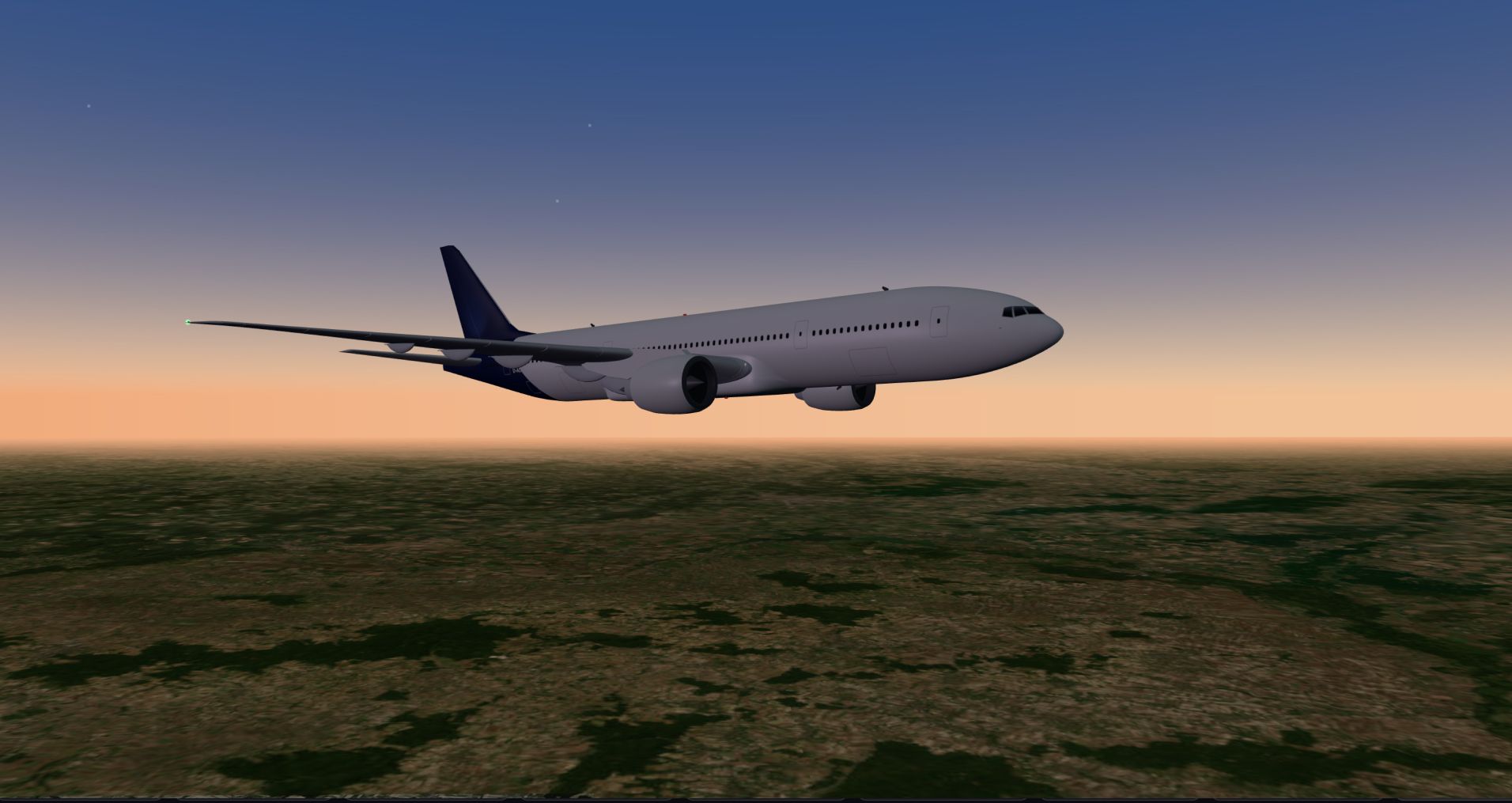
One week since the last update, and it's been a busy one. The new Live page shows every flight on the network at once, with chat and landing-rate guessing. VATSIM traffic and ATC now appear in 3D on Live and on every airport page. And there are 17 new detailed 3D aircraft models, for 32 in all.
Here's everything that changed since October 31.
Approach ratings: the biggest changes yet
We incorporated your feedback on approach ratings and hand tuned the scoring. Every past approach has been rescored automatically.
- The overall stays between your subscores. It can't score lower than your worst subscore or higher than your best. Whatever capped your overall (a tail strike, an unstable approach, a hard landing) now also shows in the subscore it came from, so you can see where the points went.
- Only a perfect landing scores 100. If any subscore is under 100, the overall maxes out at 99. Bad weather still adds bonus points, but only a perfect landing gets 100, in a thunderstorm or clear skies. No approaches have achieved this yet.
- Unstable approaches are capped less harshly. Not stabilized by 500 ft now caps the overall at 75 (was 49), and not stabilized by 1,000 ft caps it at 85 (was 79).
- Touchdown and Ride count equally, as the two biggest parts of the score. Touchdown point counts more than before; Flare and Configuration count less.
- Touchdown rate refined: sink rate, pitch, crab and bank all count toward your touchdown score. A 100 Touchdown score needs 120 fpm or less (50 fpm for GA). 200 fpm scores 90, 300 scores 75, 400 scores 60, 600 scores 30, and 900+ scores 0. G-force now only caps the score when it goes over 1.4 G. Very soft landings are no longer marked down, and a near tail strike holds Touchdown to 60.
- Touchdown point is scored on a curve around the aim point, and drifting toward the runway edge on the rollout counts against you.
- Steep approaches: if you fly a steady path that's steeper than normal, you're scored against the path you flew, instead of the default glidepath. GA pilots aren't marked down for crossing the threshold low.
- Ride (what the passengers felt) starts once you're established on final, wings level after the turn, so the turn onto final no longer counts against it. The Ride limits for GA are tighter.
- Weather counts more: crosswind, steady gusts and low-level windshear now add to how rough the conditions were, and low visibility in your sim adds a small bonus for a soft landing (a smaller one than gusts).
- GA speed is now judged only on your speed over the threshold, and GA centerline tracking close to the runway is more forgiving.
- Tags: ATC isn't always perfect with the vector to final, so an intercept overshoot is no longer scored against you, the "late onto final" tag is gone. But don't forget your landing gear: this counts against you and now gets a "Gear down late" tag.
Runways in the right place. We're experimenting with how to get perfect runway data, but it's still a work in progress, especially at small airports. When we spot a runway that's wrong, we can now correct it ourselves, and every approach flown on it is rescored.
Approach Lab fixes
- Your sim's weather, not the real world's. The 3D replay and the after-landing story now show the weather your sim recorded on the approach, and only fall back to the airport's METAR when there's no recording. A pilot who landed in clear skies in MSFS while the real airport was in fog no longer gets a replay in fog.
- Smoother touchdowns in the replay. The wheels now ease onto the runway instead of snapping down at the moment of contact, which made even soft landings look hard. This only changes the replay. Your score stays the same.
- One landing rate. The flight page's Landing stat now shows the Approach Lab's touchdown rate, so the two numbers can't disagree anymore.
- Approach lights match the runway: none on runways under 1,500 m, and shorter approach lighting on mid-length runways.
- Registrations sit where airlines actually paint them, checked against photos (usually just ahead of the rear door).
- Retracted gear is fully hidden, gear doors included, on every model.
- Sharper airliners: the A320, A350 and 777 cockpit windows and noses were rebuilt to be more accurate.
- Better props: the Cessna 172, T210, Caravan, PC-12 and ATR 72 all got a revision pass: one-piece wings, wheel fairings that cover the tires, and big, readable registrations. The Caravan now carries its cargo pod by default, except on floats.
Note: Every pilot's first flight now gets the full Approach Lab, Supporter or not. Later flights keep the approach rating and subscores. Supporters get Approach Lab on every flight.
Live view: every flight on the network, at once
Live is a new page in the navigation bar. It shows every live flight on Tailstrike in 3D or on the map.
- Up to four flights on screen, with the rest in a strip below. Drag and drop to swap or reorder them. Each tile shows the flight's phase, route, pilot and registration.
- Chat: one room for everyone, plus a thread for each flight. A flight's thread is its comments, so the conversation stays on the flight afterwards. The pilot's own messages are marked with a plane icon, and each chat tab shows how many new messages are waiting.
- Guess the landing rate. Once a flight is within 10 nm of its arrival, anyone can guess its landing rate. Everyone sees the guesses. Guessing closes at 1,000 ft, and the closest guess wins when the Approach Lab rates the landing after touchdown. Wins are counted on your profile. It's just for bragging rights.
- Picture-in-picture: when you focus on one flight, turn on picture-in-picture to show the map over the 3D view, or the 3D view over the map. Tap the inset to swap the two.
- Your choice: pilots can turn off guessing on their own flights, or hide their flights from Live completely (they still appear on the map). Both are in Settings.
- On phones, Live shows one flight at a time in full detail, without the picture-in-picture option.
A live flight's own page and the aircraft page now have the same Map | 3D panel, with a Watch on Live link.
VATSIM in 3D
If you fly on VATSIM, the live 3D views now show the network around you.
- Traffic: VATSIM pilots and other Tailstrike aircraft fly in the same 3D scene, moving smoothly(ish) between position updates, with name tags. VATSIM traffic are drawn as ghosts and they disappear once the pilot disconnects, unlike Tailstrike aircraft, which are permanent in the world, including between flights.
- ATC: the map shows controller coverage (center sectors, approach areas, and tower, ground and delivery positions), and the panel shows which position the pilot is tuned to. Controller positions at nearby airports are also shown in 3D over the airport.
- Listen in: a Listen button next to the pilot's name on Live.
- Runway lights: after dark, every paved runway at the departure and arrival airports lights up, fading with distance.
Every airport in 3D
Every airport page now has a Map | 3D switch.
- Watch any aircraft at the field: Tailstrike flights, parked Tailstrike aircraft and VATSIM pilots. Pick one from the list, or just click an aircraft in the scene to jump to it.
- Lease from the 3D view: if a parked aircraft is available, you can lease it right from its card.
- For VATSIM planespotting: a card for the flight in view, a Tower camera that watches from the real tower's position, a Listen menu with the airport's frequencies, and fullscreen. Pull up a fly-in and watch the arrivals with the tower audio.
- The airport map now shows VATSIM traffic and ATC coverage, Tailstrike flights within 25 nm labeled with their callsigns, and parked aircraft registrations when you hover over them.
3D everywhere
- The whole flight. The live 3D view no longer switches back to the map above 5,000 ft. Watch the whole flight in 3D, including the cruise.
- Parked aircraft in 3D, at their spot, from the Map | 3D switch on the aircraft's Current location card.
- A shared world: other Tailstrike aircraft parked at their stands in every 3D view.
- Better sky and weather: the sun is where it really is for the flight's time and place, with proper sunsets, and stars come out after dark. Cloud layers (few, scattered, broken and overcast) come from the METAR, with clear sky above the cloud deck.
- Lights: landing lights switch off above 10,000 ft, strobes and beacons are softer, and lights glow less in daylight and more in fog. Helicopter rotors turn when the engine is running, and propellers and rotors on parked aircraft stand still. (Note: aircraft lights are inferred, but gear and flaps do come from live data.)
35+ detailed aircraft families
Twenty more types now have detailed 3D models in the Approach Lab replay, the live 3D view and the airport view, for 32 in all. Each one has accurate dimensions, flaps that follow your flap lever, gear that retracts realistically, and lights in their real positions.
* = New this week
Airliners
- Airbus A220
- Airbus A300-600 (new)
- Airbus A320 family
- Airbus A330: -200, -300, -800/-900neo and freighters *
- Airbus A350
- Airbus A380
- ATR 72 *
- BAe 146 / Aero RJ family *
- Boeing 737 NG and MAX
- Boeing 747
- Boeing 757-200
- Boeing 767: -200, -300, -400 and freighter *
- Boeing 777
- Bombardier CRJ: CRJ200, 700, 900 and 1000 *
- Concorde
- Embraer 170 and 175 *
- Lockheed L1011 TriStar *
- McDonnell Douglas MD-11
- McDonnell Douglas MD-80 series *
Business jets
- Bombardier Challenger 650 *
- Cessna Citation Longitude *
- Cirrus SF50 Vision Jet
- Dassault Falcon 50
- Embraer Phenom 300 and 300E *
- Gulfstream G550 *
Props
- Blackshape Gabriél *
- Cessna 172
- Cessna 208 Caravan
- Cessna T210 *
- Pilatus PC-12
- Rockwell Commander 114 *
Helicopters
- Airbus H145 *
- Bell 206 JetRanger *
- Bell 407 *
- Sikorsky S-76 *
Every other helicopter is now drawn as a JetRanger scaled to its own rotor size, instead of a small airliner, so an R22 looks small and an S-92 looks big. Every other type still shows as a basic model with its true length and wingspan.
40 airlines in their colors. Twenty more airlines now fly in their own paint: Aerolíneas Argentinas, Atlas Air, Copa, DHL, Eurowings, Iberia, Korean Air, Lufthansa Cargo, Martinair Cargo, NetJets, Norwegian, Qatar, Ryanair, Singapore, Southern Airways Express, Spirit, Swiss, Turkish, Virgin Atlantic and Western Global.
These paint schemes are meant to be representative, not exact. They contain no logos and are not endorsed by any airline.
Real Flight + Tail, two hours ahead
On Real Flights, Tailstrike looks ahead: when a real aircraft is flying toward the airport where its Tailstrike twin is parked, it works out which flight that aircraft will fly next.
When available your dashboard's Real Flights now leads with a Real Flight + Tail departing in 1 to 2 hours, e.g. "Departing in 1 h 12 min", chosen from your preferred aircraft, then airlines and regions. That's enough time to set up your sim and fly the same flight, in the same registration, at the same time as the real one.
Since unforeseen circumstances can arise, future Real Flight + Tail suggestions are predictions, but they are 90%+ accurate in testing. If you fly it before the real flight leaves, your flight is checked again once the real one departs. If it's the same tail, you get the Real Flight + Tail check mark. If the airline swapped aircraft, it counts as a Real Flight. Cargo airlines don't publish schedules, so this covers passenger flights only for now.
Maps
- Dark or satellite on every map. One small button flips between the dark map and satellite imagery, and each map remembers your choice.
- Airport overlays everywhere: runways, taxiways and aprons are drawn on every map when you zoom in on an airport, using OpenStreetMap airport data.
- Flight page map: five zoom buttons (departure airport, departure, full flight, arrival, arrival airport), and normal panning and zooming again.
- The navigation bar has Live and Map as separate links, and the dashboard links to both.
Parked aircraft stay where you left them
This one's a big fix. Your aircraft now stays exactly where you stopped it, facing the way you left it.
- No more snapping to spots or buildings. Before, the aircraft was moved to the nearest labeled stand, terminal or apron, and those labels are often placed on a building. Now the spot is where you actually stopped, and the stand lookup only gives it a name.
- Much more reliable. Stand lookups were slow spotty in the past, but are now extremely fast and it works every time. And even if a stand is not found, the aircraft's position is shown exactly, instead of just "at the airport".
- Unstacked: aircraft that had ended up parked on top of each other are now moved apart (manually for now), each to its nearest free gate.
- Repositioning after landing no longer drags the flight's track to wherever you moved the aircraft in the sim.
- Tashkent now uses its current code, UZTT (was UTTT).
Everything else
Aircraft
- The Configuration panel now shows each airframe's serial number (MSN), hex code and the year it was built.
- An emergency squawk (7500, 7600, 7700) is never saved to an aircraft's state, so the next pilot can't inherit one. (These codes are not allowed on VATSIM)
Community
- Discord Supporter role: link your Discord account and the Supporter role comes and goes with your Supporter status, automatically.
- You get at most three notifications for comments on any one flight, so a busy Live thread can't flood your notifications.
Leases
- When you cancel a lease, we now ask why in one tap (or you can just cancel). It helps us make Tailstrike better for everyone.
Fixed
- Fixed: a sim crash that you reloaded on the ground could reopen your earlier flight and complete it. A flight that comes back stopped on the ground, without having landed, now terminates the previous flight instead.
- Fixed: starting a lease while in the air is now more reliably detected and terminated. Flights must start on the ground.
- Fixed: ignore flight tracks starting with a line from the Indian Ocean or Seattle (where MSFS puts you on the main menu and while a flight loads).
- Fixed: the live view stuttering on some flights.
- Fixed: the glass panel couldn't be closed on phones, plus a round of other phone fixes on Live and the aircraft page.
- Fixed: Aircraft appear less shiny in cloudy weather.
- Fixed: Courchevel airport now appears with the proper slopes in Approach Lab replays
Plugin (v0.1.39 to v0.1.40)
- v0.1.40: Fixes an issue which sometimes caused the plugin to crash after touchdown.
- v0.1.39: More accurate sim telemetry, Sync State data, and a reason prompt when you press Cancel Lease.
Happy flying!