High-Rate Telemetry and a Live 3D View, Free for Every Pilot
October 31, 2026

It's Halloween, so today you'll find a few new tricks and lots of treats:
Among them, high-rate telemetry and a live 3D view, free for every pilot on Tailstrike! All you need is the Tailstrike plugin, version 0.1.38 or later. The Approach Lab also runs on recordings from the plugin. And aircraft configurations are now shown under "Aircraft State" along with the lived-in state for every aircraft on the network.
Every flight, recorded every second
From plugin v0.1.38, every pilot's flight records a high-rate track, up to 1 tick per second, alongside its regular position reports. This is the same for both free pilots and Supporters.
Every taxi, takeoff, circuit and approach is now shown in full detail.
- Network map: aircraft glide smoothly between real positions instead of jumping from one position report to the next.
- Aircraft page: the live map, the aircraft track, and the glass panel (altitude, ground speed, vertical speed, IAS and heading) all update in near real-time.
- Flight log: completed flights draw the full-rate track, so taxi routes, turns and approaches show as smooth curves.
Update to plugin v0.1.38 or later to start recording. There's nothing to switch on and nothing to pay for.
Watch any live flight in 3D
The live flight panel on every aircraft page now has a Map | 3D switch. While the aircraft is on the ground or below 5,000 ft, you can watch the flight in 3D as it happens, over satellite imagery of the real airport.
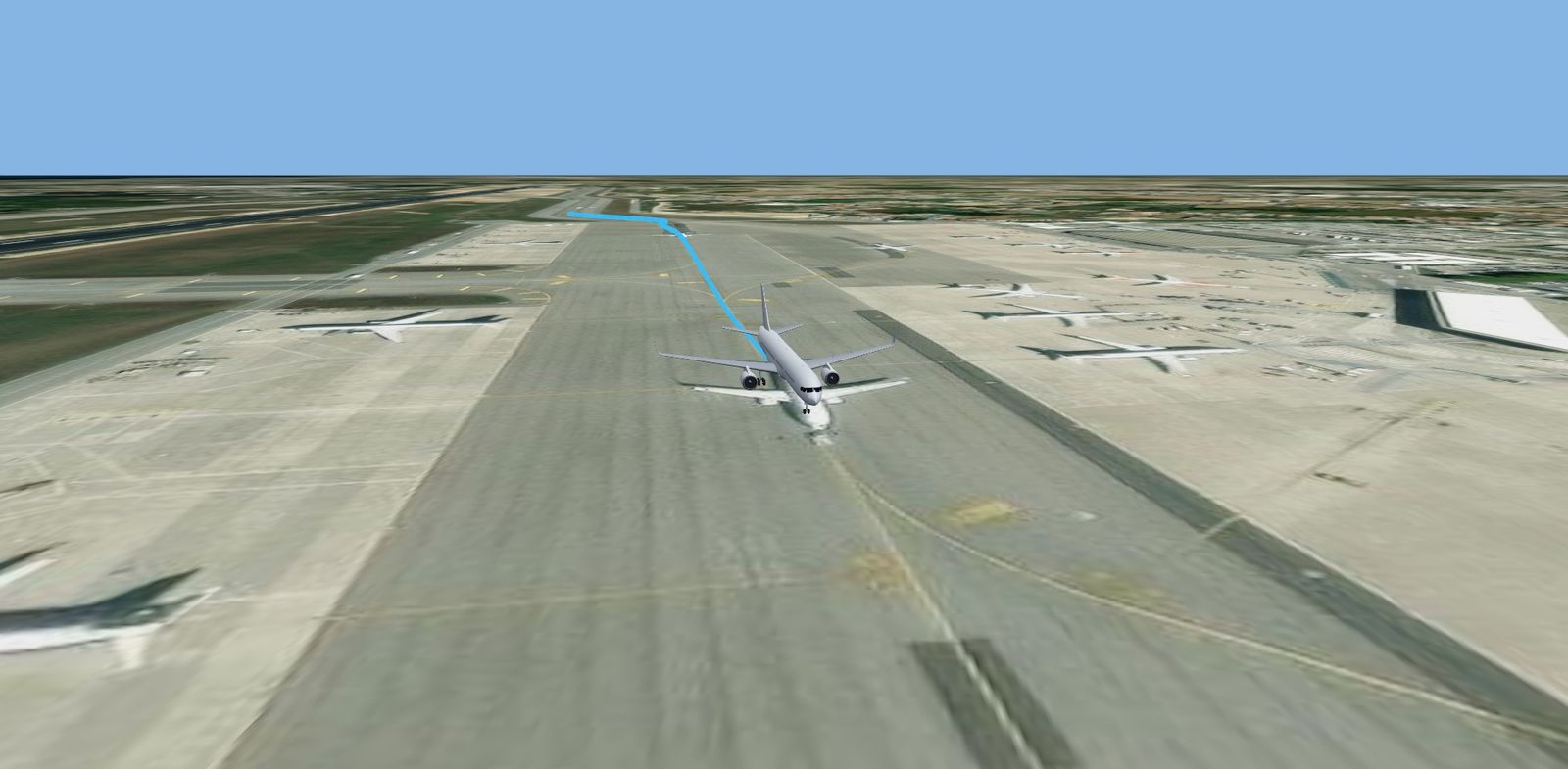
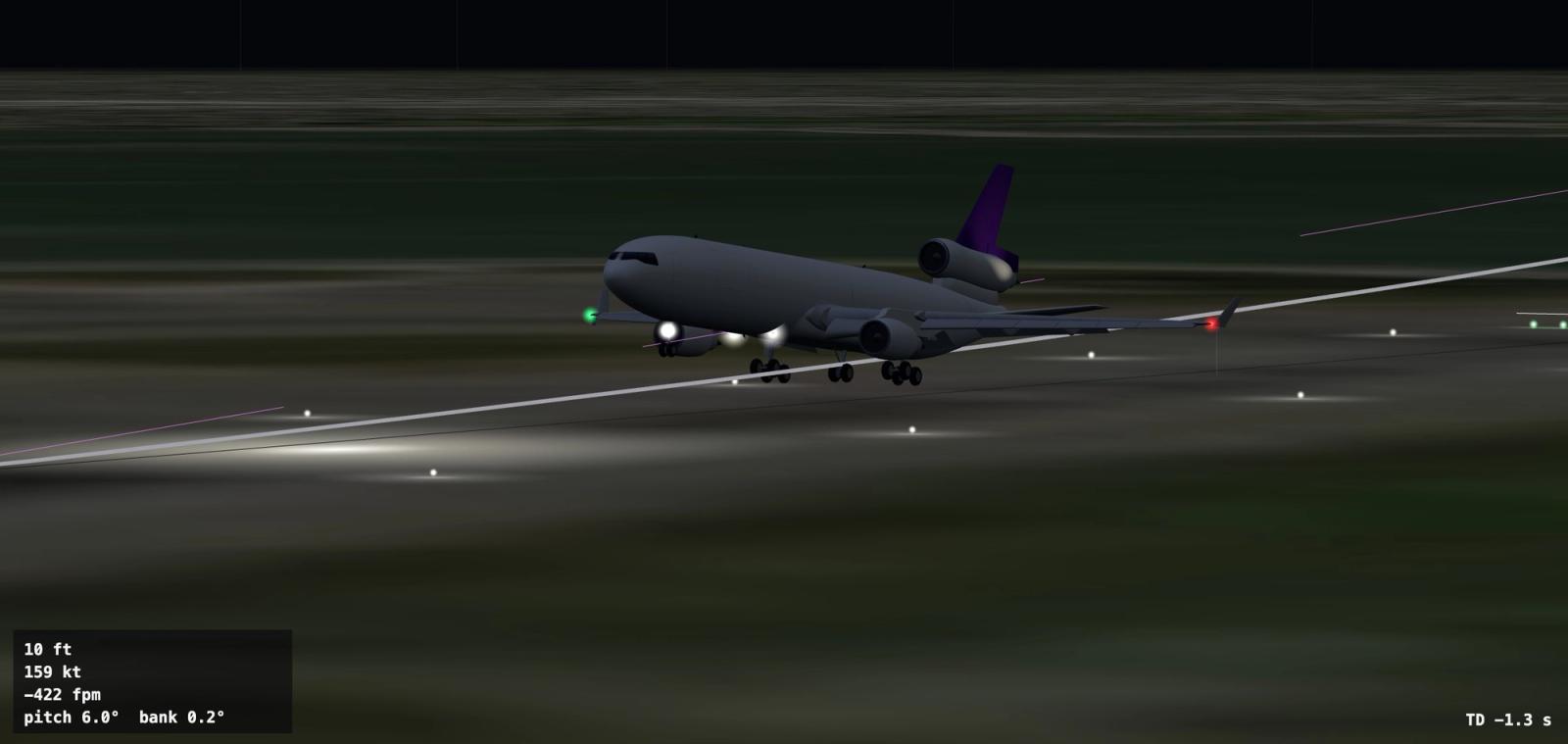
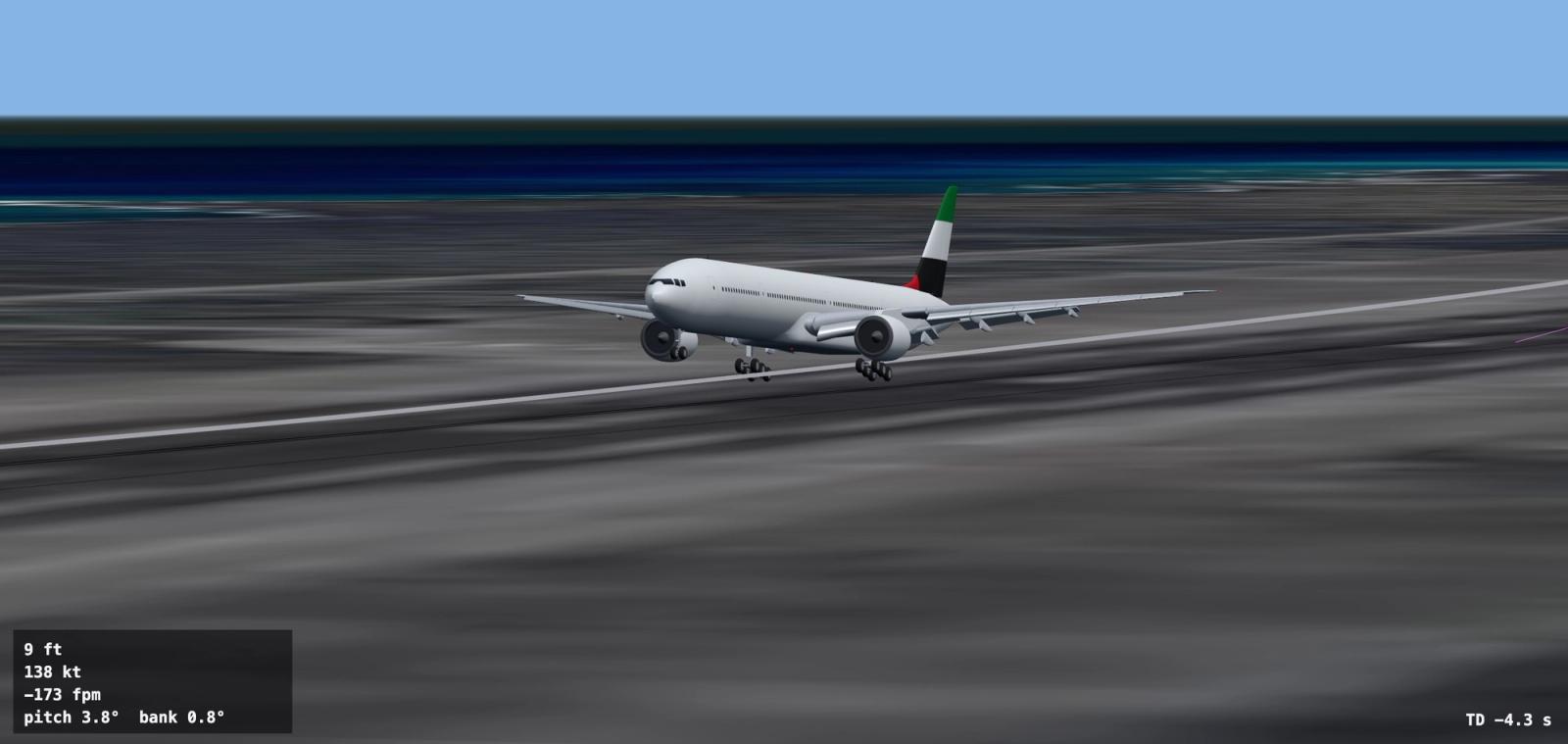
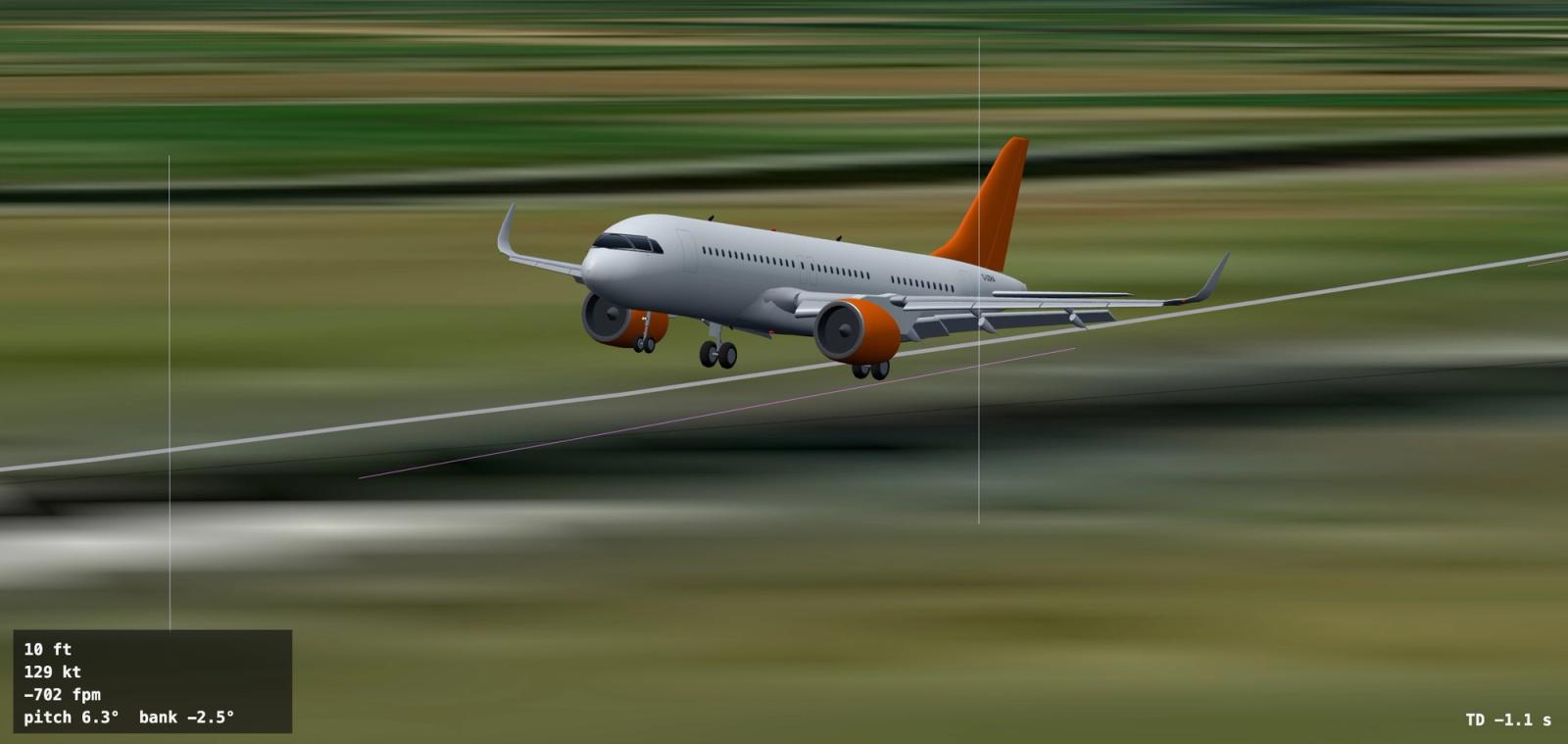
- Detailed aircraft models, in airline colors for the most popular airlines (more on those below).
- Free, Chase, Tower, and Flyby cameras.
- Day, dusk and night, from the clock in the pilot's sim.
- Weather including fog, clouds, rain, and snow
- The glass panel can be hidden for an unobstructed view, just click on it.
The live 3D view is free for everyone. Every pilot's flight shows in 3D, and anyone can watch it, signed in or not. Above 5,000 ft the panel switches back to the map, and returns to 3D on the way down. 3D live view requires plugin v0.1.38 or later.
Detailed aircraft in the Approach Lab and live view
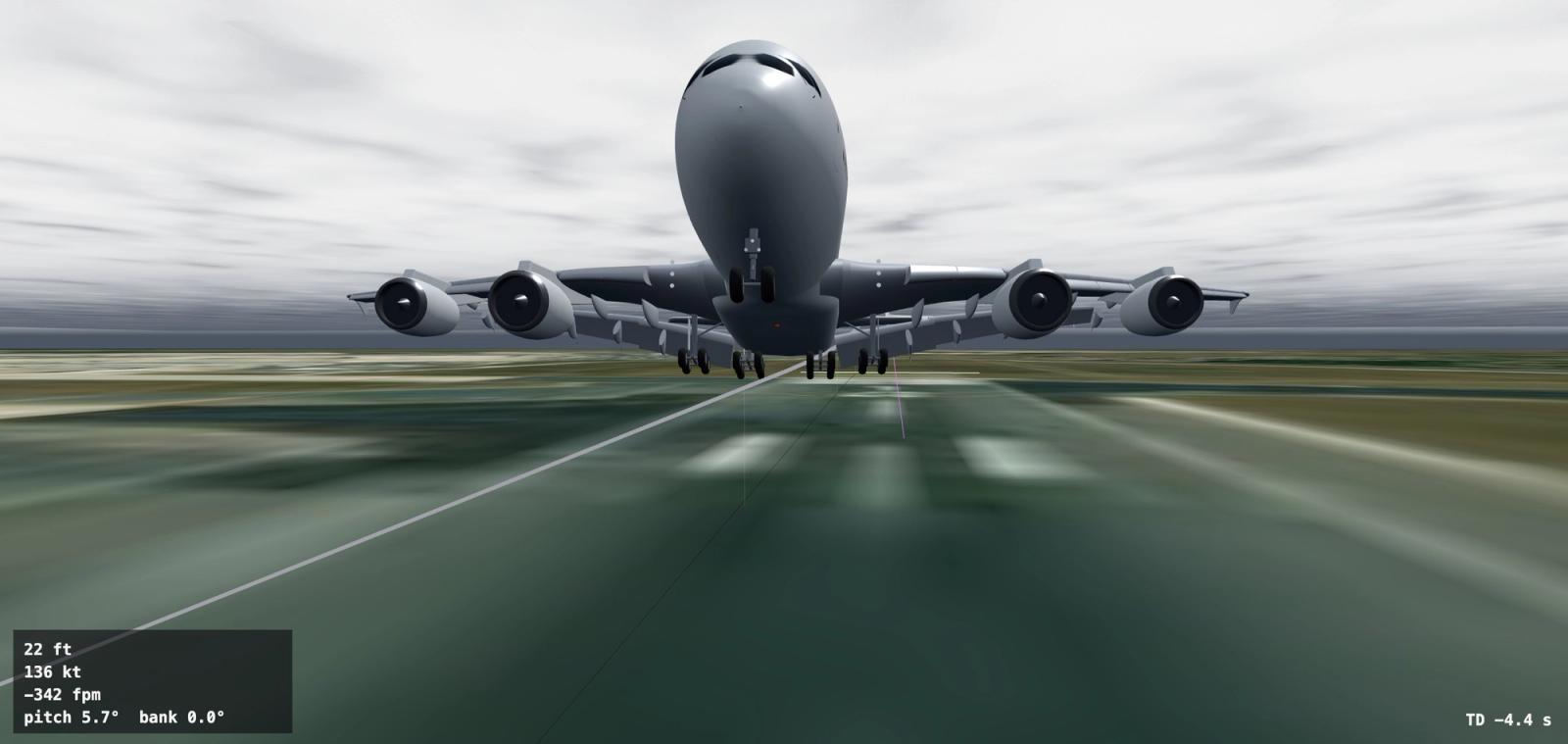
Fifteen aircraft types now have detailed 3D models in the Approach Lab replay and the live 3D view. Accurate dimensions, flaps that move with your flap lever, landing gear that retracts realistically, spoilers, spinning propellers, and lights in their real positions.
- Cessna 172
- Cessna 208 Caravan
- Pilatus PC-12
- Cirrus SF50 Vision Jet
- Dassault Falcon 50
- Airbus A220
- Airbus A320 family
- Airbus A350
- Airbus A380
- Boeing 737 NG and MAX
- Boeing 747
- Boeing 757-200
- Boeing 777
- McDonnell Douglas MD-11
- Concorde
Every other type still shows as a basic model with its true length and wingspan. The detailed models appear in the free live 3D view as well as the Approach Lab. More high-quality aircraft models coming soon.
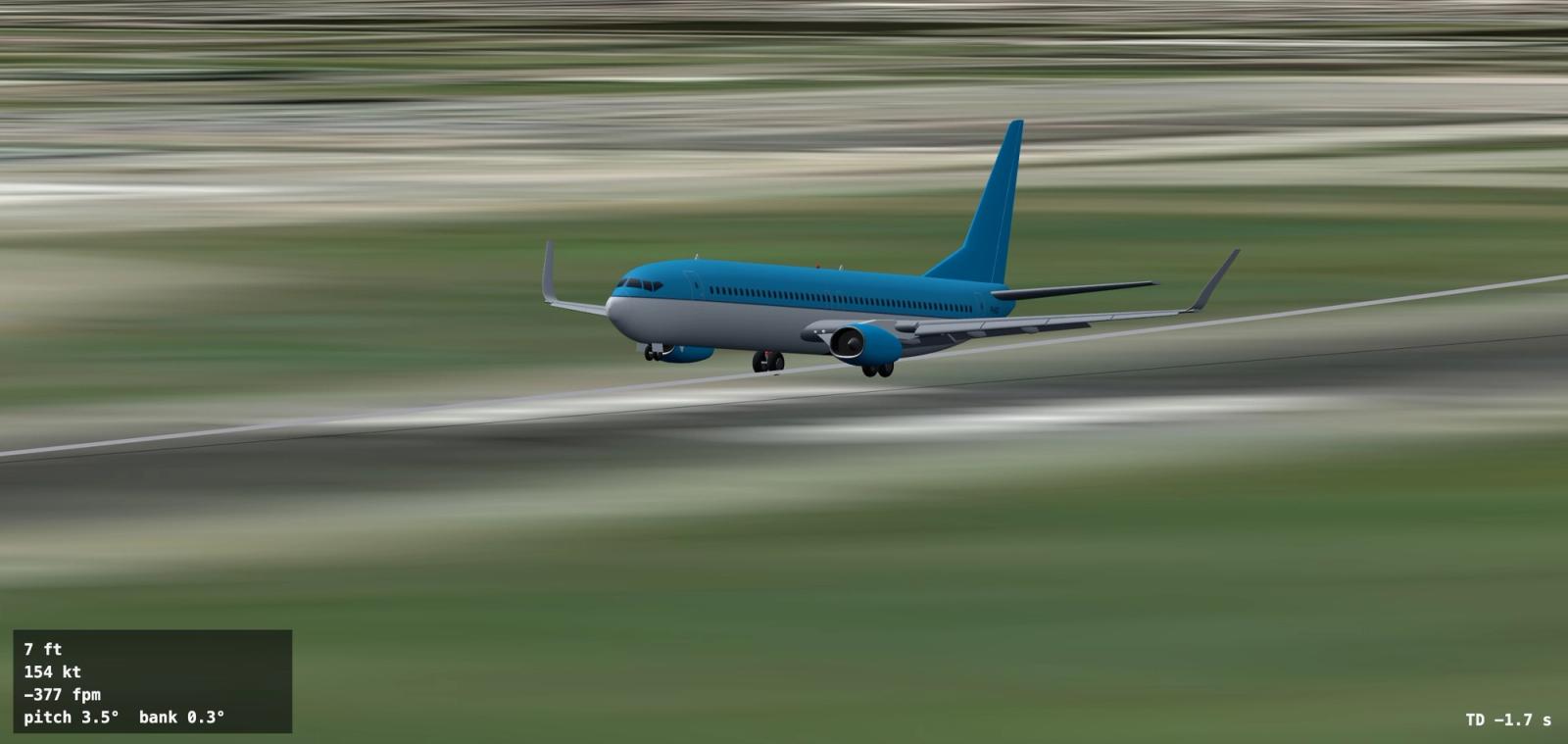
The models now wear airline colors too. The 20 airlines with the most aircraft on Tailstrike are painted in their colors, with more to come: Delta, United, Air Canada, American, Lufthansa, KLM, FedEx, British Airways, Air France, Southwest, JetBlue, Frontier, Qantas, WestJet, UPS, Cathay Pacific, easyJet, QantasLink, Alaska and Emirates. Every model also carries the aircraft's real registration.
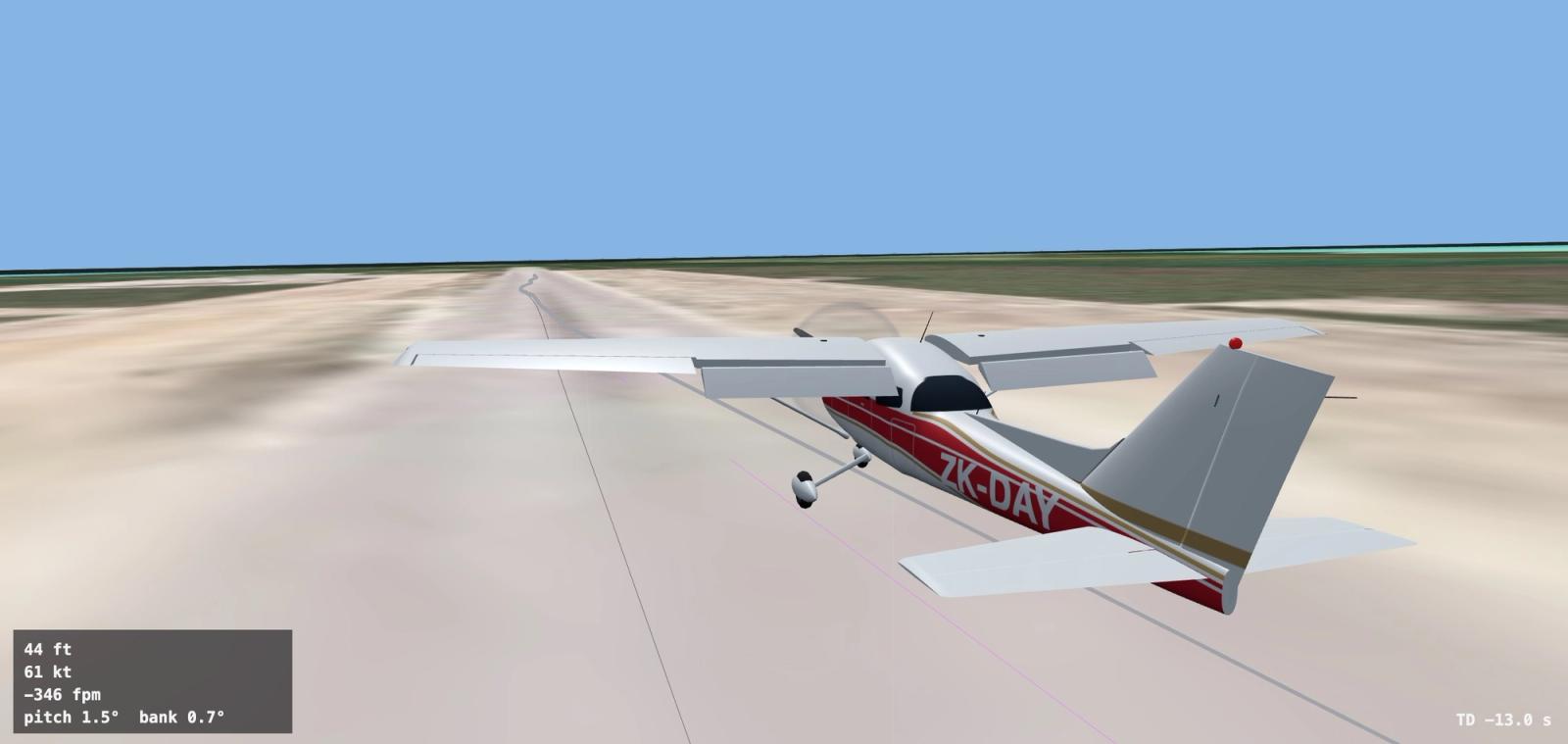
And one GA aircraft gets its own paint. ZK-DAY, the Cessna World Tour's shared 172, now wears its 1971 factory red and gold, matching the real aircraft.
The Approach Lab, redesigned
The approach debrief has a new layout and a better replay.
- Layout: the 3D replay runs full width, with the map under it.
- Timeline: a floating timeline stays at the bottom of the screen while the debrief is open. Play, pause, drag, or use the arrow keys to scrub the replay, map and charts together.
- Cameras: Free, Chase (fixed to the tail with the registration in shot), Tower and Flyby.
- Record a clip: from the chase, tower or flyby camera, record the landing from 30 seconds before touchdown to 20 seconds after, then save it or share it.
- Subscores: shown as equal chips. Hover or tap one to see more details.
- Replays of X-Plane flights are smoother.
On the flight page, block times now sit on the Departure and Arrival row, and salutes and comments are higher up, above the approach debrief.
Every landing gets its approach rating and subscores, for every pilot. The full Approach Lab analysis, with the 3D replay and charts, is part of Supporter.
Fairer approach ratings
Approach ratings had their biggest update since launch. Every past approach is rescored automatically.
- New Ride score: what the people aboard felt, from G-forces, pitch, roll and heading rates, and bank reversals. It replaces 'Wings level' and weighs heavily on your score.
- Position matters less: being a little low or off the centerline counts matters less than how the landing felt. A soft landing slightly low on the glidepath no longer scores worse than a rough one that was perfectly aligned.
- Weather counts: gusts and crosswind forgive much of a bumpy ride, and a soft touchdown in rough weather earns a bonus.
- Runway length counts: a long touchdown costs more on a short runway. Rolling off the end at 60 kt or more is an overrun.
- Centerline landings are judged in feet against the runway's width.
- More accurate touchdown rates: measured from your altitude instead of the sim's vertical speed reading, which runs about a second behind, and corrected for runway slope.
- Tail strike limits for 17 more types, and a realistic one for Concorde. (The first Concorde flight on Tailstrike indeed had a tail strike. Good thing they have that little wheel back there.)
- Runway positions: better runway data, coming from the new plugin version, so a good landing is no longer marked off the runway edge. Still not perfect.
- After-landing stories are more varied and know more about the flight: the airport and city, time of day, weather and airline. Fewer passengers in row 14.
Aircraft configurations
Every aircraft on Tailstrike now carries its real-world configuration. Open Aircraft State on any aircraft page to see its category, cabin, seats, engines, wingtips and avionics. This is also the new home of the Lived-in carry-forward states, which now show more accurate wear for the TFDi MD-11.
- Seats come from published airline fleet data, for 436 airline and type combinations. That covers almost 9 in 10 airline passenger aircraft on the network.
- Engines data now populated. FedEx MD-11 N582FE, for example, shows 3 × GE CF6-80 series.
- The exact variant is filled in where it's known for all aircraft, so an American 737-800 now shows correctly as a 737-823.
- Wingtips: blended winglets, split scimitars, sharklets and the rest.
Intelligent Dispatch uses configuration to determine your flight. Passenger counts come from the aircraft's own seats, and an aircraft in a VIP configuration gets charter and VIP flights, for example.
Reserve an aircraft
A much requested feature, and now you can lease an aircraft that just landed without worrying you're yoinking it from another pilot, since they can reserve it if they want to keep it.
- Every pilot: one 24-hour reservation every 30 days.
- Supporters: two additional 72-hour reservations.
- Patrons: patrons of airliners and other non-GA aircraft can reserve the aircraft they patron any time, for 24 hours. They also get a rolling reservation on one of their patron aircraft: the aircraft is held while they fly it and for 48 hours after every completed flight.
- Only at a time: You can only reserve one aircraft at a time.
- Queue: if an aircraft is reserved or leased, join its queue, with a condition (at this airport, nearby, or anywhere). When it frees up, the first pilot whose condition matches gets it.
- After a landing, the pilot who landed can choose to lease and fly again within 30 minutes, regardless of a reservation queue. This ensures multi-leg journeys go uninterrupted
Read more in the Pilot Handbook: Reserving an aircraft.
Everything else
Maps
- Runways, taxiways and aprons are now drawn on every map, so ground tracks are easy to follow.
- The live flight map keeps the departure airport in view during the takeoff roll and zooms out more gradually as you climb.
Activity
- Greaser callouts now come from the approach rating, not the plugin's touchdown reading alone, so a bounce is never called a greaser.
- New rough-weather callouts for well-flown landings in gusty conditions: "nailed N123 into LFPG through 33 kt gusts (rated 96)".
- Around the network shows a mix of stories instead of just pilot milestones.
Intelligent Dispatch
- Briefings state the exact number of passengers instead of "about 140".
- ATC, controllers and VATSIM only come up in briefings for pilots who regularly fly on VATSIM.
- Real Flight briefings no longer compare your aircraft with a different real-world one.
VATSIM
- Flight plans now carry "tailstrike.net" and the aircraft's registration in the remarks, whether you plan on SimBrief or file on VATSIM.
High Fidelity
- The TFDi Design MD-11's condition card now accurately reflects real wear: Like new, Lightly worn, Well worn or Heavily worn, with the number of parts past their lifespan.
App
- Pilot profile galleries show 8 photos per page, with previous and next.
- The Get Started page better explains how to get started. What a concept.
Fixed
- Fixed: Discord announcements getting stuck.
- Fixed: Approach debrief header and the profile Follow button on mobile.
Plugin (v0.1.36 to v0.1.38)
- v0.1.38: high-rate telemetry for every pilot.
- v0.1.37: sends your sim's own runways for approach ratings.
- v0.1.36: the X-Plane "show parked Tailstrike aircraft" features now updates even while X-Plane is running.
Download the latest version.
Happy flying!